
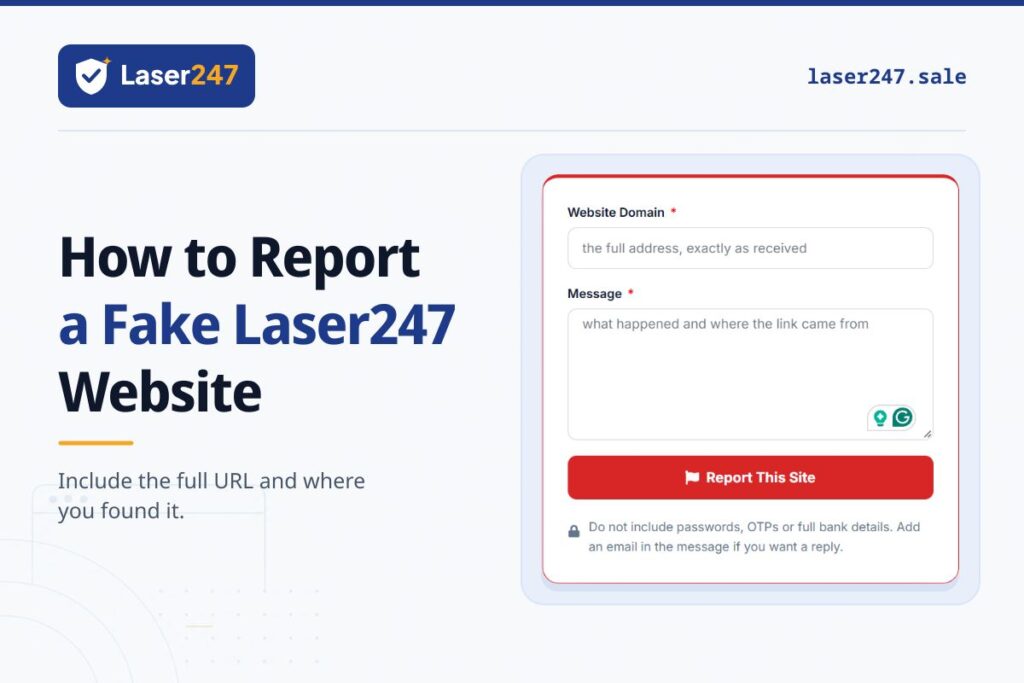
You can report a fake Laser247 website in under a minute using the form on this directory. We check reports against our verification method before publishing anything, so a report adds evidence rather than noise.
Laser247.sale is independent. It records and tests reports; it does not operate the platform, and a report here is not a complaint to the platform’s support.
Before You Report: Check the Status Box
Check the homepage status box first. Addresses associated with Laser247 change from time to time, and a genuine mirror can look unfamiliar after a move.
An unverified label means evidence is incomplete, not that the domain is fraudulent. Checking first keeps a working address from being labelled by mistake.
Step 1: Go to Laser247.sale
Open laser247.sale directly by typing the address or using a bookmark. Do not follow links inside the suspicious message itself, even ones that claim to lead to a checker or to support.
Starting at the directory keeps the report on a known page and keeps your credentials away from the page you are reporting.
Step 2: Click the “Report Fake Site” Button
The Report Fake Site button sits in the header; the same form is reachable from the footer’s Report a Fake link. The form has two fields: the website domain and a message.
Nothing else is required. You do not need an account on this directory to submit a report.
Step 3: Add the URL and Message, Then Submit
Paste the full address exactly as received, including any subdomain, into the Website Domain field. A description such as “the laser site from WhatsApp” cannot be tested; the exact string can.
In the message, say where the link came from and what the page asked you to do. If money moved, add the transaction reference and the date.
Do not include passwords, OTPs, or full bank details. Add an email address in the message if you want a reply. Then click Report This Site to submit.
What Happens After You Submit
The report is tested against the same sequence used for every domain: certificate details, application signature, payment route, interface behaviour, authentication flow, and support routing. Until the checks complete, the entry stays labelled as reported or under review.
Confirmed cases are published on the scam-alerts page without reporter identities. If you supplied an email, you receive a reply within 1 business day.
If You Already Paid a Fake Site
Reporting to the directory does not recover money. If you paid a fraudulent site, contact your bank or UPI provider immediately and ask for a fraud reversal; early reporting gives the best chance.
File a complaint at cybercrime.gov.in and call the cyber-fraud helpline 1555. Keep screenshots, the exact URL, and transaction references before the page disappears, and change any password you reused elsewhere.
What Makes a Report Useful
The strongest reports share three things: the exact address, the source of the link, and what the page requested. Screenshots of the cashier or the login prompt help, because clones often change quickly.
Several independent reports of the same domain raise its priority. One vague complaint is held for evidence rather than published.
What the Form Cannot Do
The directory cannot block a website, seize a domain, or act against its operator, and it cannot mediate disputes about a balance or a settled bet. Those matters belong to the platform’s own support or to the authorities.
The form’s role is narrower: to turn a suspicious address into a checked, dated entry that other readers can see before they click.
Why Reports Matter
Clone sites reuse templates, so one confirmed entry often matches several domains aimed at the same users. A published alert protects the next reader, and a confirmed failure feeds back into the status labels on the homepage.
For the checks behind each label, read the methodology page. For current confirmed cases, read the scam-alerts page. Questions can also go to [email protected].